ensure no VPN running, and generally no major internet activity on computer/table/phone (as in, no doing a speed test while watching videos, downloading large files, etc.)
ensure server is set to that same as the service provider; in this example below, “Cogeco Connenxion Inc” is selected; use the “Change server” setting if required. Doing a test to a server NOT on the ISP’s network is fairly useless, since it includes a link from our ISP to another ISP, so the results could be due to that link.
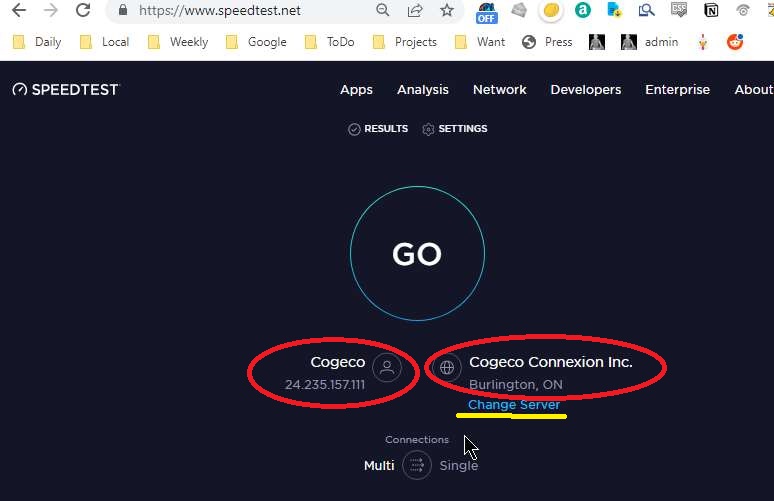
Logging into a “speedtest.net” account will keep these settings, as well as save all results for later perusal.